


 FREE Delivery over £35
 Unbeatable Prices
Hard Disk Drives vs Solid State Drives: Choosing the Right External Drive for Your Workflow
When deciding between external solid state drives (SSDs) or external hard drives (HDDs), the decision usually isn’t about which one is “better.” Both have their benefits. Really, it’s about which one better supports the way you use your data.
External storage has evolved quickly, with today’s external HDDs and SSDs serving very different roles. One provides impressive storage capacity at low cost. The other provides excellent speed, durability and responsiveness. Understanding these differences makes it far easier to choose the right drive for your workflow.
As a company with a quarter of a century’s history, Cartridge People understands the importance of optimising workflows and finding the right tool for the job, whether that’s backing up video files and images or storing reports long term. To help you find the right storage solution for your workflow, we’ve put together this practical, tech-minded guide.
- Finding the Right Storage Option for Your Workflow
- External Hard Drives (HDDs)
- External SSDs
- Choose an External HDD If…
- Choose an External SSD If…
- A Practical Way to Think About It
Finding the Right Storage Option for Your Workflow
When deciding between HDD and SSD storage, you should consider a few important variables:
- How fast you need read/write performance
- How much storage space you need
- Whether the drive will be moved around frequently
- How important cost per gigabyte is to you
Ultimately, both HDDs and SSDs are designed to store and retrieve data. The key difference lies in how they do it, and that directly affects performance, reliability and cost.
So, how do hard drives work?
External Hard Drives (HDDs): High-Capacity Storage
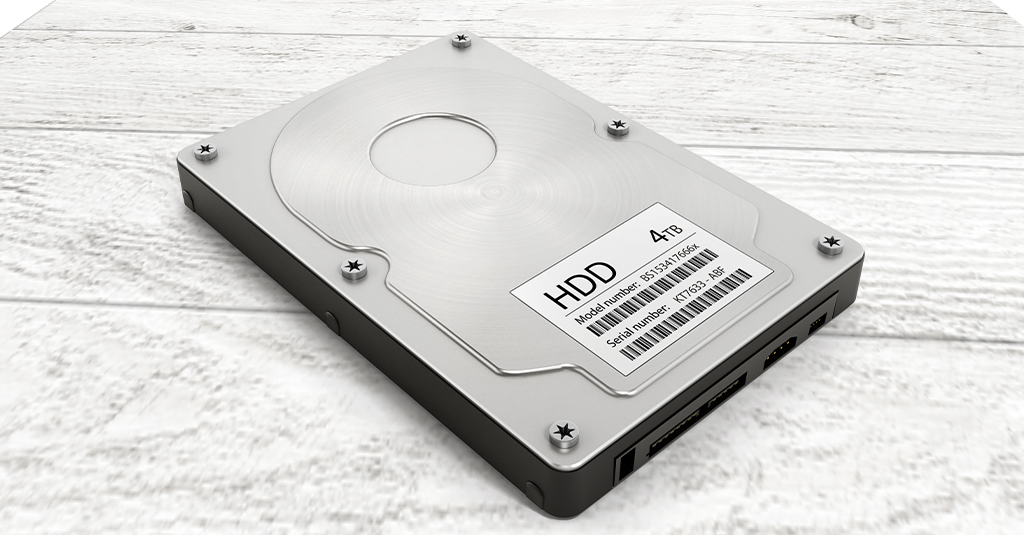
External disk drives use traditional mechanical storage technology, similar to a magnetic tape or CD. Inside the disk enclosure itself you’ll find:
- One or more spinning magnetic disks – which is where your data is written to
- A precision arm with a read/write head – which can read or write your data
- A motor that rotates the platters at high speed – which keeps everything running
When your operating system requests data, the drive physically moves the disk using the motor, allowing the read/write head to read the correct location on the disk and scan the data, just like a vinyl record. This mechanical process exemplifies both the strengths and limitations of HDDs.
Strengths of HDD Technology
The strengths of traditional HDD technology include:
Large Storage Capacity
If your priority is capacity, HDDs are hard to beat. Multi-terabyte external drives are widely available and still cost significantly less per gigabyte than SSDs.
Excellent for Sequential Workloads
Tasks like backups, media storage and archiving work well on HDDs because they involve long, sequential reads and writes rather than rapid random access. In practical terms, this means less moving back and forth for the read/write head.
Cost-Effective Storage Expansion
For users who need lots of space without a premium price tag, HDDs remain the most economical storage type available, especially when you take into account the cost of cloud storage!
Where HDDs Fall Short
But HDDs aren’t perfect. Because they rely on moving parts, HDDs come with a few inherent limitations:
- Slower read/write speeds, especially for random access. This means they’re not great if you want to use them for swap memory
- Longer load times compared to SSDs, especially for very large files
- Increased sensitivity to vibration or impact
- Higher latency due to mechanical seek time
Ultimately, HDDs are reliable when used correctly and best suited to stationary/low-movement environments.
External SSDs: Speed, Efficiency and Modern Performance
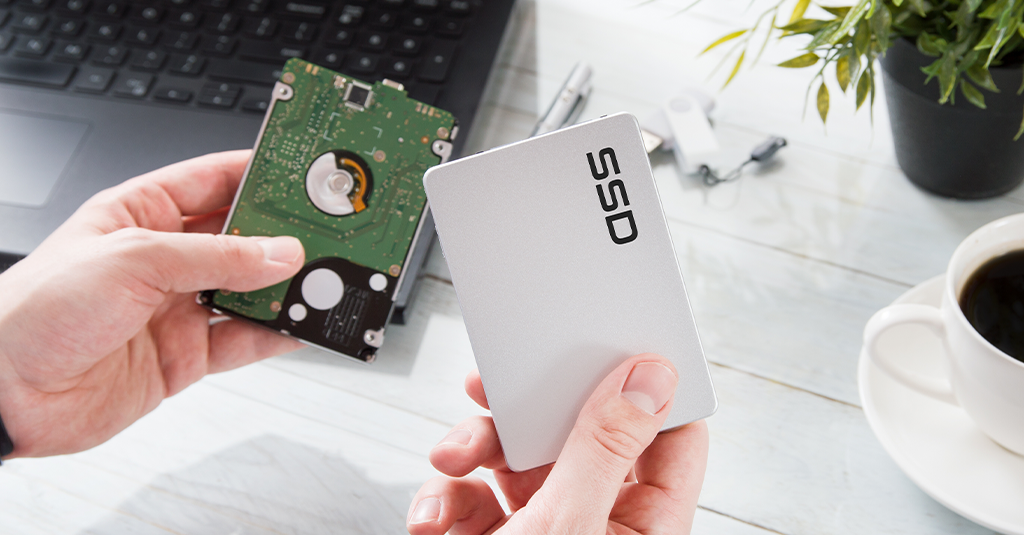
External solid state drives (SSDs) adopt a very different approach compared to HDDs. Instead of spinning disks, they use flash memory similar to what can be found in modern smartphones and internal NVMe drives.
Because there are no moving parts, data can be accessed electronically rather than mechanically, dramatically improving performance in certain situations.
External SSD Strengths
SSDs eliminate seek time entirely. There’s no waiting for a read/write head to move as data is accessed almost instantly. This results in:
- Significantly faster read/write speeds
- Near-instant file access
- Much shorter load times
- Smoother performance for large or complex files
For many users, this difference is immediately noticeable, especially in certain use cases. For example, you’re guaranteed to see a noticeable speed increase if you’re using the SSD as a boot drive or editing large image or video files.
Additional Benefits of SSDs
Other benefits SSDs have over HDDs include:
- High durability: No mechanical components means better resistance to shock and drops
- Lower power draw: Because an SSD doesn’t have to power any mechanical components, they’re more suitable for laptops and mobile workflows, where power is at a premium
- Compact design: Most external SSDs are small, lightweight and highly portable
- Consistent performance: Especially important for creative or professional workloads
The Trade-Offs
The main drawback of SSDs compared to HDDs is cost. While prices continue to fall, SSDs still cost more per gigabyte than HDDs, especially at higher capacities.
Solid state drives also typically offer less maximum storage for the same price, though this gap continues to shrink as flash technology improves.
SSD vs HDD: A More Technical Comparison
| Feature | External HDD | External SSD |
|---|---|---|
| Storage Type | Magnetic disks | Flash memory |
| Moving Parts | Yes | No |
| Read/Write Speed | Moderate | Very fast |
| Access Latency | Higher | Extremely low |
| Load Times | Longer | Near-instant |
| Durability | Moderate | High |
| Storage Capacity | Very high | Lower per £ |
| Cost per GB | Low | Higher |
| Ideal Use | Archival, backups | Active data, performance |
Choose an External HDD If…
- You need large amounts of storage at the lowest cost
- You primarily store backups, photos or media
- You don’t frequently access or edit files
- You want a dependable, long-term storage solution
Choose an External SSD If…
- You work with large files or active projects
- You need fast data transfer speeds
- You move your drive between devices
- You want maximum reliability and responsiveness
Many users ultimately choose both, using an SSD for performance-sensitive tasks and an HDD for bulk storage.
A Practical Way to Think About It
Instead of asking “Which is better?”, a better question is:
Where will this drive spend most of its time?
- Sitting on a desk holding backups? = HDD
- In a bag, moving between systems? = SSD
- Editing large files directly from the drive? = SSD
- Storing years’ worth of photos or video? = HDD
Match the drive to the workload for the best experience.
Final Thoughts
The choice between a hard disk drive and solid state drive isn’t about old versus new, it’s about choosing the right storage technology for your workflow.
- External HDDs excel at affordable, high-capacity storage
- External SSDs deliver speed, durability and optimal performance
Both remain essential storage tools and many setups benefit from using them together.
At Cartridge People, we carry a wide range of external HDDs and SSDs that are perfect for all use cases. Browse our range of HDDs and SSDs today to find the one for yours.
About The Author
