FREE Delivery over £35
 Unbeatable Prices
Step One: How do I know if I have credit on my account?
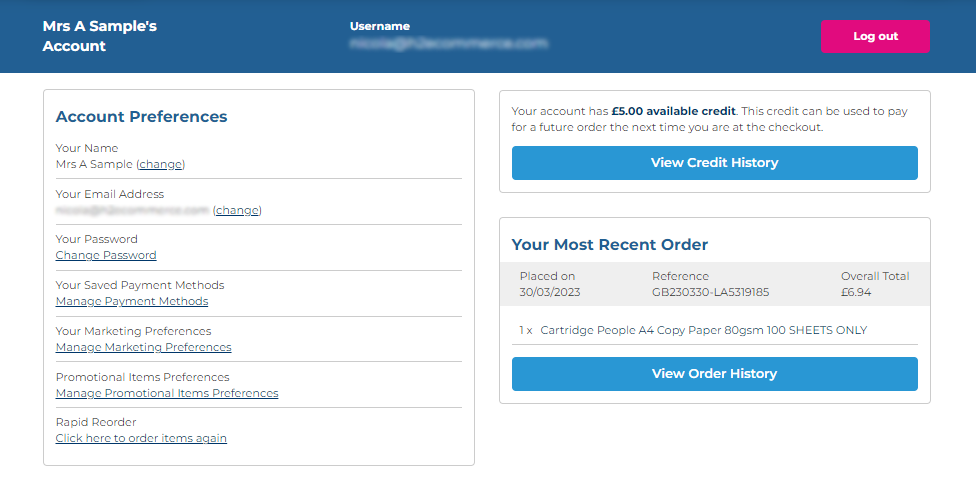
Once you’ve logged in to the Cartridge People website, it’s possible to check whether you have credit on your account by clicking the “Your Account” link at the top of the website and then selecting “View Credit History”.
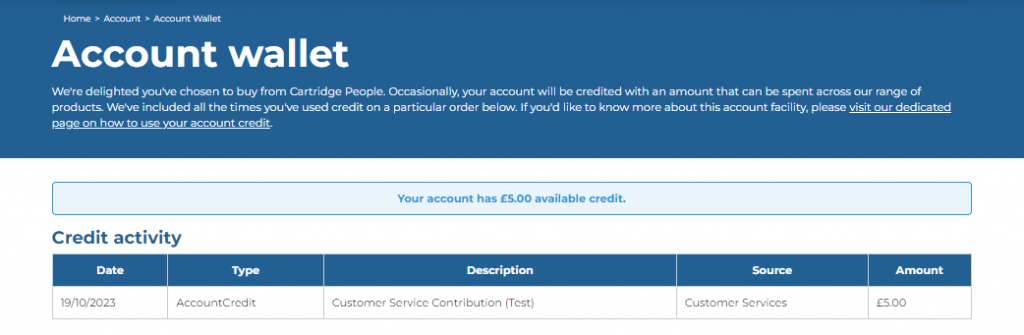
From there, you’ll be able to see whether you have credit on your account and also view how you’ve used credit on your account previously.
Step Two: Using the credit on your account to place an order
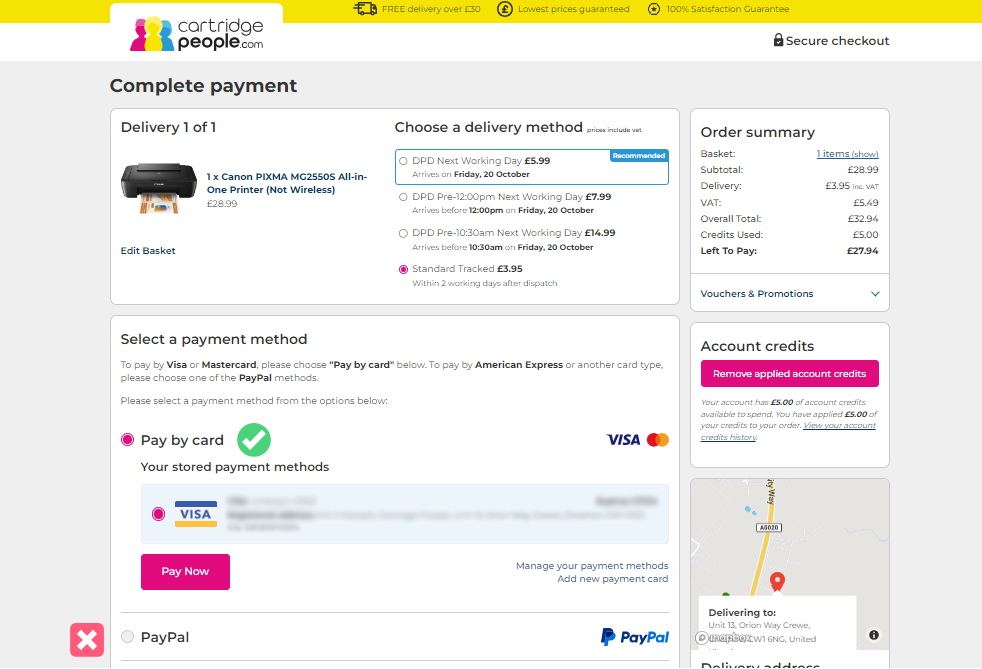
Once you have items in your basket ready to purchase and you click through to the /Checkout/SelectPaymentMethod section of our website, you will see an area shown beneath the Voucher Code box where you can select the amount of credit you wish to use.
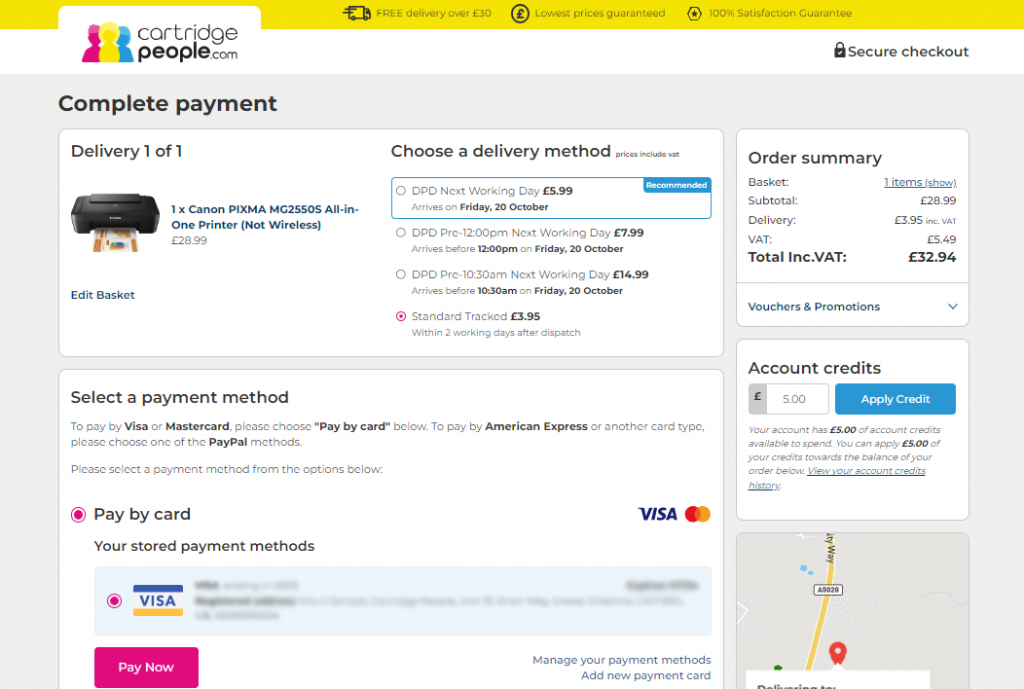
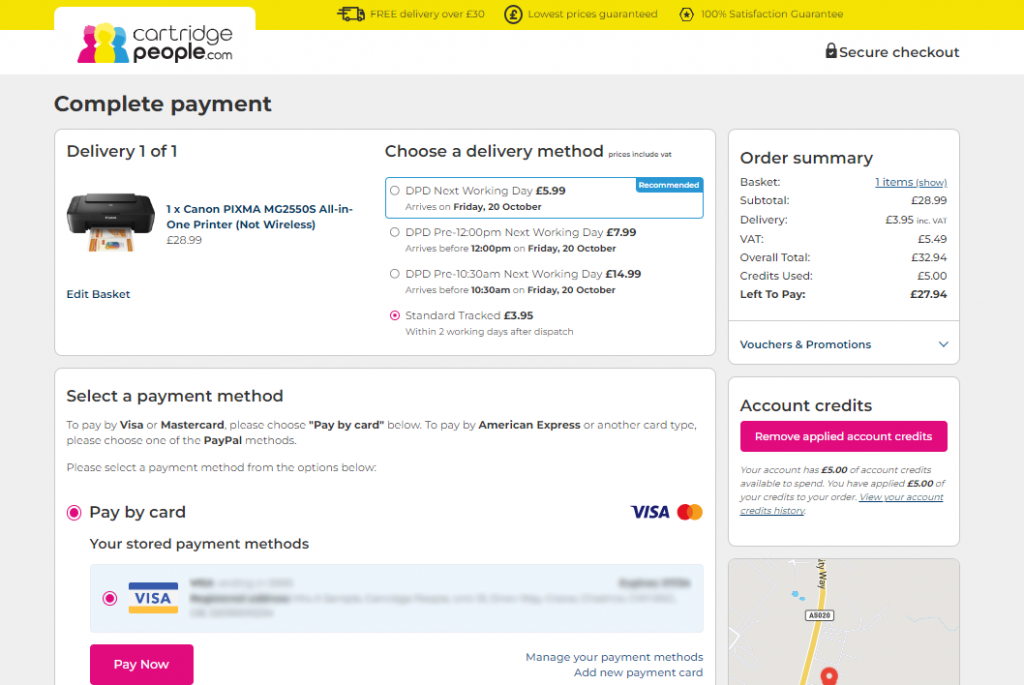
Once account credits have been applied, the checkout calculations will update to show what’s left to pay, if anything. If the account credit applied covers the entire cost of your order you’ll see the following, which, once ‘Checkout With Credits’ is clicked will then complete the order.
Important
Our account credit function will only be available through purchasing via the Cartridge People website and will require you to login to your account in order to use your credit.
Please note that you cannot redeem credit on your account when making a payment via PayPal.