


 FREE Delivery over £35
 Unbeatable Prices
How to Cancel HP Instant Ink
Not sure how to cancel your HP Instant Ink subscription? Follow the instructions below to quickly cancel your subscription and take control of your printing.
Instant Ink Cancellation
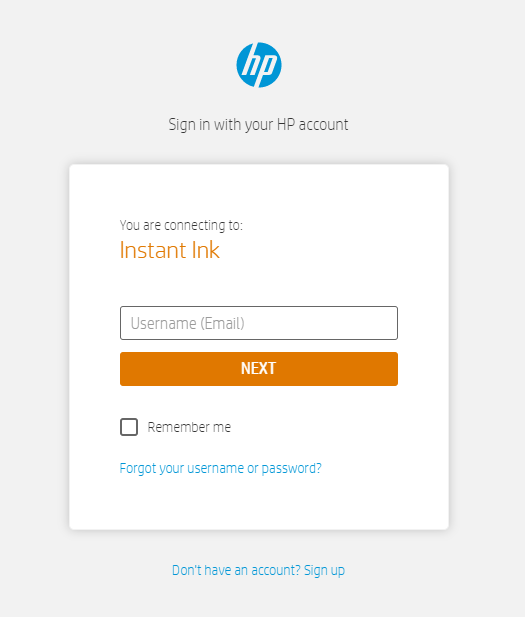
Step 1: Sign Into Your Account
The first thing you need to do when cancelling HP Instant Ink is sign in to your HP account.
Step 2: Verify Your Serial Number
- Click ‘Overview’
- Select ‘Printer Details’ (found in the ‘Status’ area)
Step 3: Update Your Plan
- Select ‘HP Instant Ink’
- Click ‘Update Plan’ (found in the lefthand menu)
- Find ‘Plan Details’
Step 4: Cancel
- Select ‘Cancel my HP Instant Ink Subscription’ and follow the instructions.
- You’ll receive an email confirming this and also at the end of the billing cycle.
What to Do After You’ve Cancelled HP Instant Ink
Now that your subscription has been cancelled, you can print flexibly. We’d recommend that you look at our Compatible Own Brand cartridges to print more for less.
Important Information for Cancelling HP Instant Ink
If you do cancel your HP subscription, there are a couple of things that you might find useful to know:
- When you cancel your HP subscription, you’ll need to return the Instant Ink cartridges back to HP. Don’t worry though, as this is very easy! All you need to do is place the cartridges in a returns envelope (which should have already been provided by HP) and take them to the nearest collection point. This is so the cartridges can then be recycled. If you do not have an envelope, you can order one directly from HP.
- Once your subscription is cancelled, your Instant Ink cartridges will not work in the printer following the end of your current billing cycle, so make sure you have your replacements ready.
- If you encounter any issues printing after you’ve cancelled your HP Instant Ink subscription, reach out to HP Instant Ink on 0207 660 6027.
Sort Your Printing with Cartridge People
Looking for the convenience of an ink subscription service but don’t want to be locked into a recurring (and costly) spend? Take a look at our range of Cartridge People Compatible Own Brand HP ink and toner cartridges. When you shop with us you can take advantage of:
- Low prices
- More ink on average than the OEM
- Rapid reorder
- Lifetime Printer Guarantee
Additionally, if you’re buying printer ink or toner for a business, you can create a business account to manage your print spend. We support and offer our expertise to businesses across the UK. Apply for an account with us to receive the following benefits:
- Net-Monthly credit – 0% interest
- No contracts or hidden charges
- Lowest online prices (T&C’s apply)
- Dedicated Account Management Team
Popular HP Ink Cartridges


Popular HP Toner Cartridges


About The Author
